Dashboard overview
A quick map of the Onbixo dashboard, so you know where everything lives.
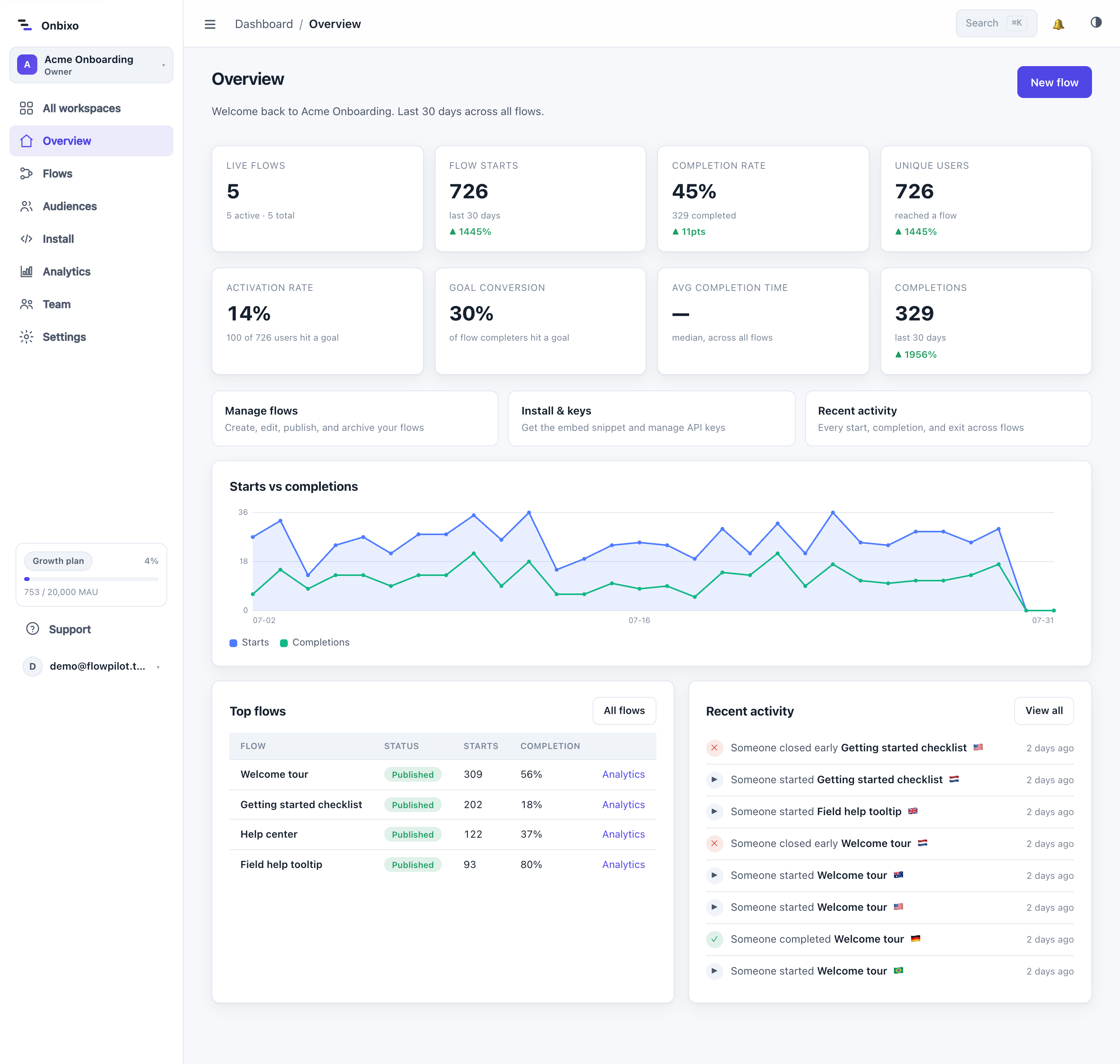
The sidebar
| Section | What it's for |
|---|---|
| Overview | A snapshot of your workspace: recent activity and quick actions. |
| Flows | Create, edit, publish, and manage all your flows. See The flows list. |
| Audiences | Saved, reusable targeting groups. See Saved audiences. |
| Media | Images you upload for use in flows. See Media library. |
| Analytics | Workspace-wide onboarding metrics. See Analytics. |
| Activity | A feed of what happened in the workspace. See Activity feed. |
| Install | Your install snippet, API keys, and allowed origins. See Install keys. |
| Settings | Account, security, workspace, team, plan, and billing. |
The top bar
- Workspace switcher - move between the workspaces you belong to, or create a new one.
- Notifications - alerts and account-wide notices. See Notifications.
- Command palette - press
Cmd/Ctrl + Kto jump anywhere fast. - Profile menu - theme (light / dark / auto), settings, and log out.
Theme
The dashboard supports light, dark, and auto (follow your system) themes. Switch from the profile menu; your choice is remembered.
Tip
The command palette (Cmd/Ctrl + K) is the fastest way to get around - search for a flow,
a setting, or a page and jump straight there.
Last updated: Aug 5, 2026
Was this page helpful?
Thanks for the feedback.
Still need help? We're happy to lend a hand.
Contact us
Esc
Type to search across every page.