AI shortcuts
Beyond OnbiAI, Onbixo has AI built into the places you work - to draft a flow, turn a simple prompt into targeting, explain your analytics, and polish your copy. Every one drafts something you review before it saves; nothing is applied automatically.
Each shortcut uses AI credits from your monthly allowance - the cost is shown on the button, and you are told before you run it. Answering questions with OnbiAI is always free.
Generate a flow from a goal
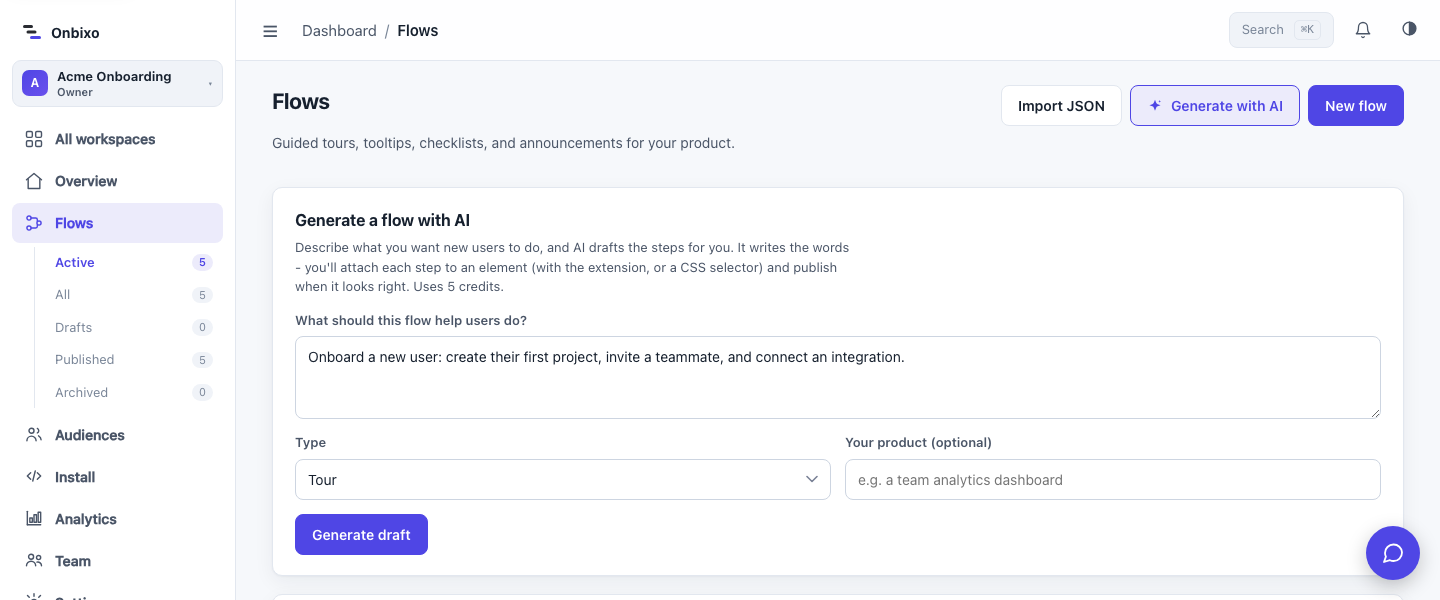
On the flows page, choose Generate with AI, describe what the flow should help users do, and pick a type (tour, tooltip, checklist, announcement, or resource center). AI writes a draft flow and drops you into the editor to attach each step to the right element and refine the copy. Nothing is published until you say so. Cost: 5 credits.
Natural-language targeting

On a flow's Targeting tab (or when creating a saved audience), use Describe your audience to type something like "users on mobile who signed up in the last week". AI builds the matching conditions and loads them into the editor for you to check and adjust - it goes through the same validation as hand-built rules, so it can never produce an invalid condition. Cost: 2 credits.
AI insights
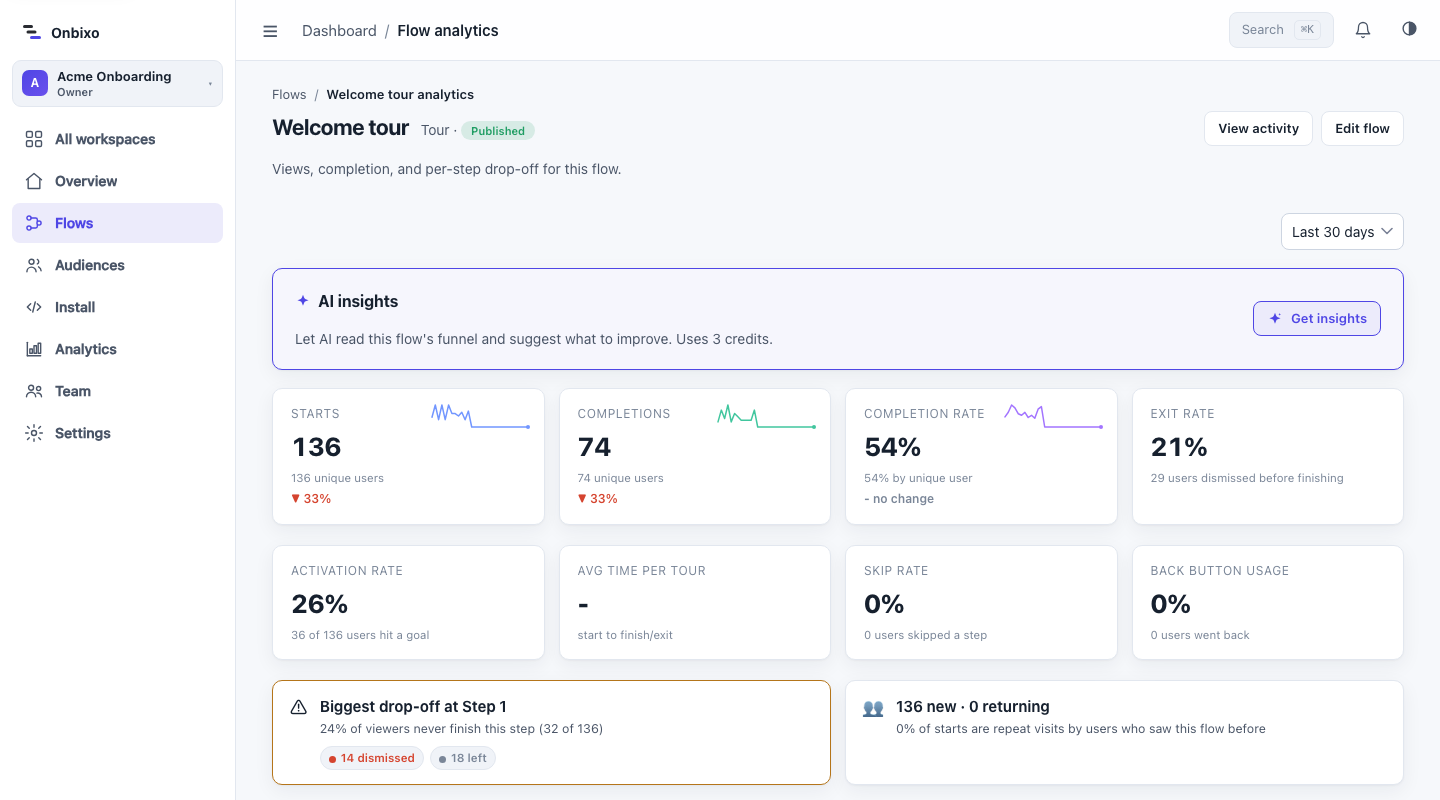
On a flow's Analytics page, Get insights has AI read the funnel - where people drop off, how completion is trending - and suggest what to change, including ready-to-use rewrites of a step's title or body. Click Apply to write a rewrite into the flow's draft (the live flow is untouched until you republish). Cost: 3 credits for a fresh analysis; re-opening the panel is free (it shows the cached result), and applying rewrites costs nothing.
Insights work on flows with a funnel (tours and announcements) once they have a little traffic.
Flows that need attention
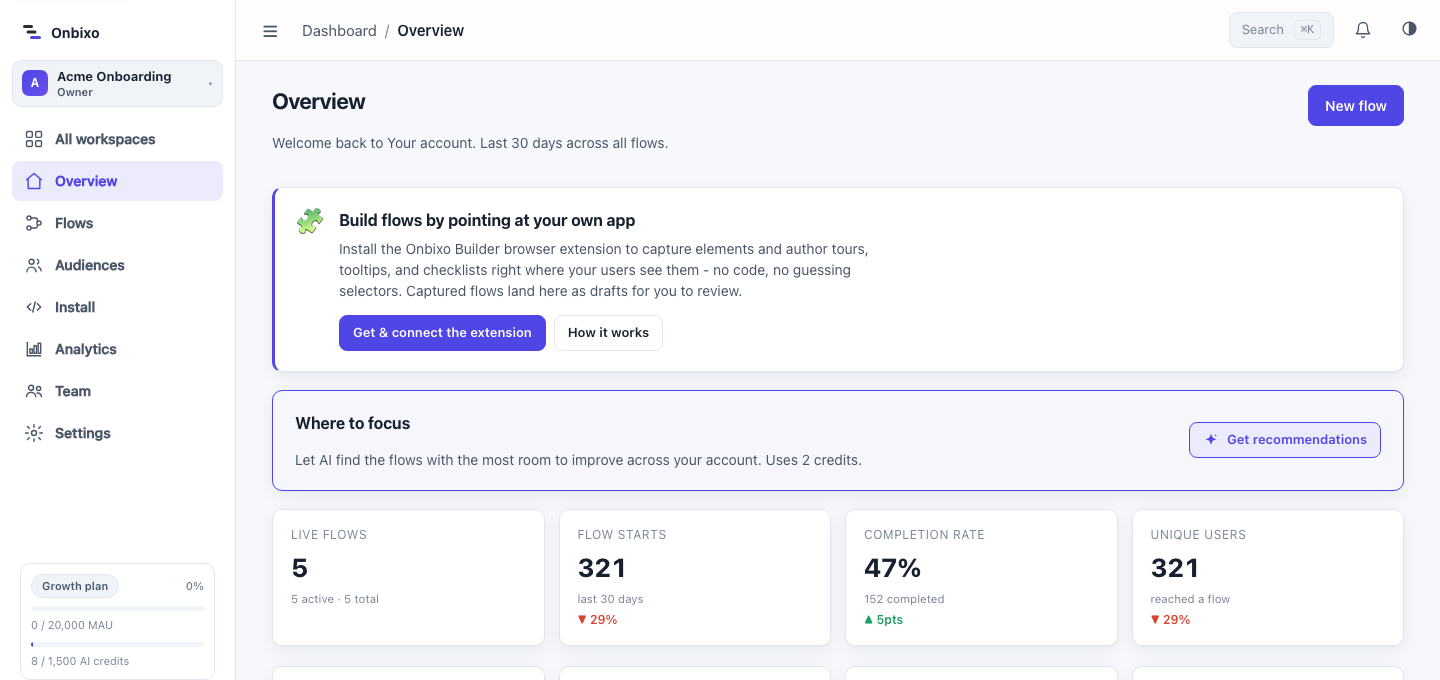
On the dashboard overview, Where to focus ranks your flows by which ones most need attention - low completion, or a drop versus the previous period - and gives a one-line "why and what to do" for each, linking straight to that flow's analytics. Cost: 2 credits; re-opening is free until the ranking changes.
AI copywriting
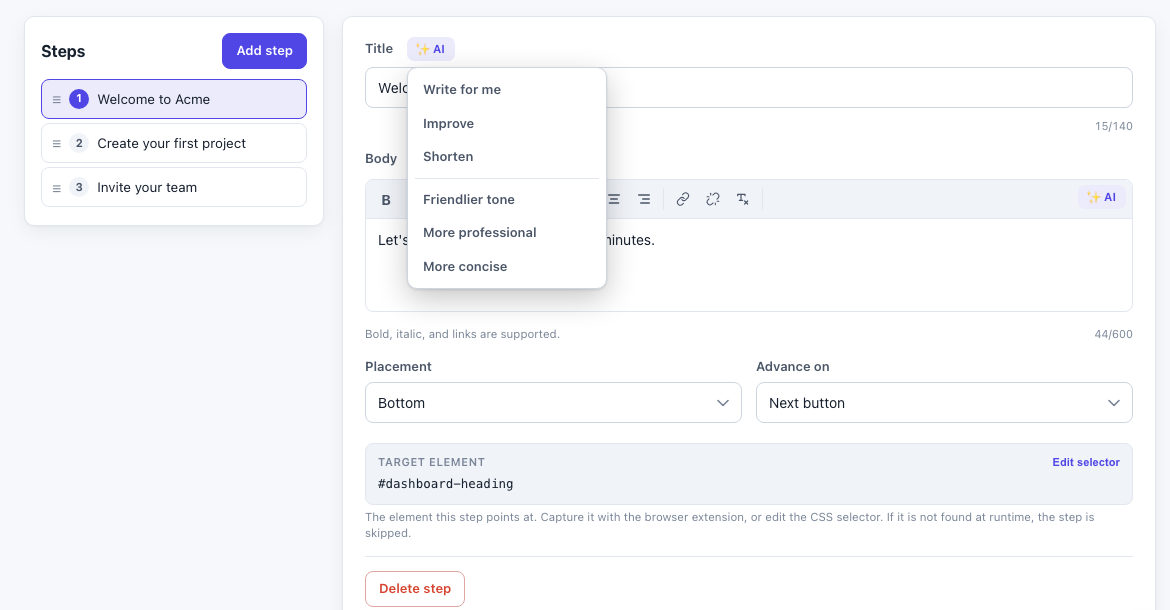
In the editor, the ✨ control on a title or body field can write copy from scratch, improve or shorten what you have, or set the tone (friendly, professional, or concise). It fills the field with a suggestion you can keep or undo. Cost: 1 credit per use - the lowest-cost shortcut.
Write for me first asks what the step should help the user do, so you can steer the result instead of regenerating until it guesses right. That box is optional when the step already has a title or body - leave it blank and the AI works from the text that is there. On a completely empty step it is required, since there would otherwise be nothing to write from. The other modes (improve, shorten, tone) act on the text already in the field, so they run in one click with no prompt.
Translate a flow
AI can translate a flow's copy into another language for you to review and publish. See Languages & translation for the full workflow. Cost: 3 credits per language. Translation is available on paid plans.
Run out of credits mid-task? Onbixo never charges a surprise overage - it shows an upgrade prompt, and your allowance resets at the start of each month. See AI credits.
Last updated: Sep 7, 2026