Saved audiences
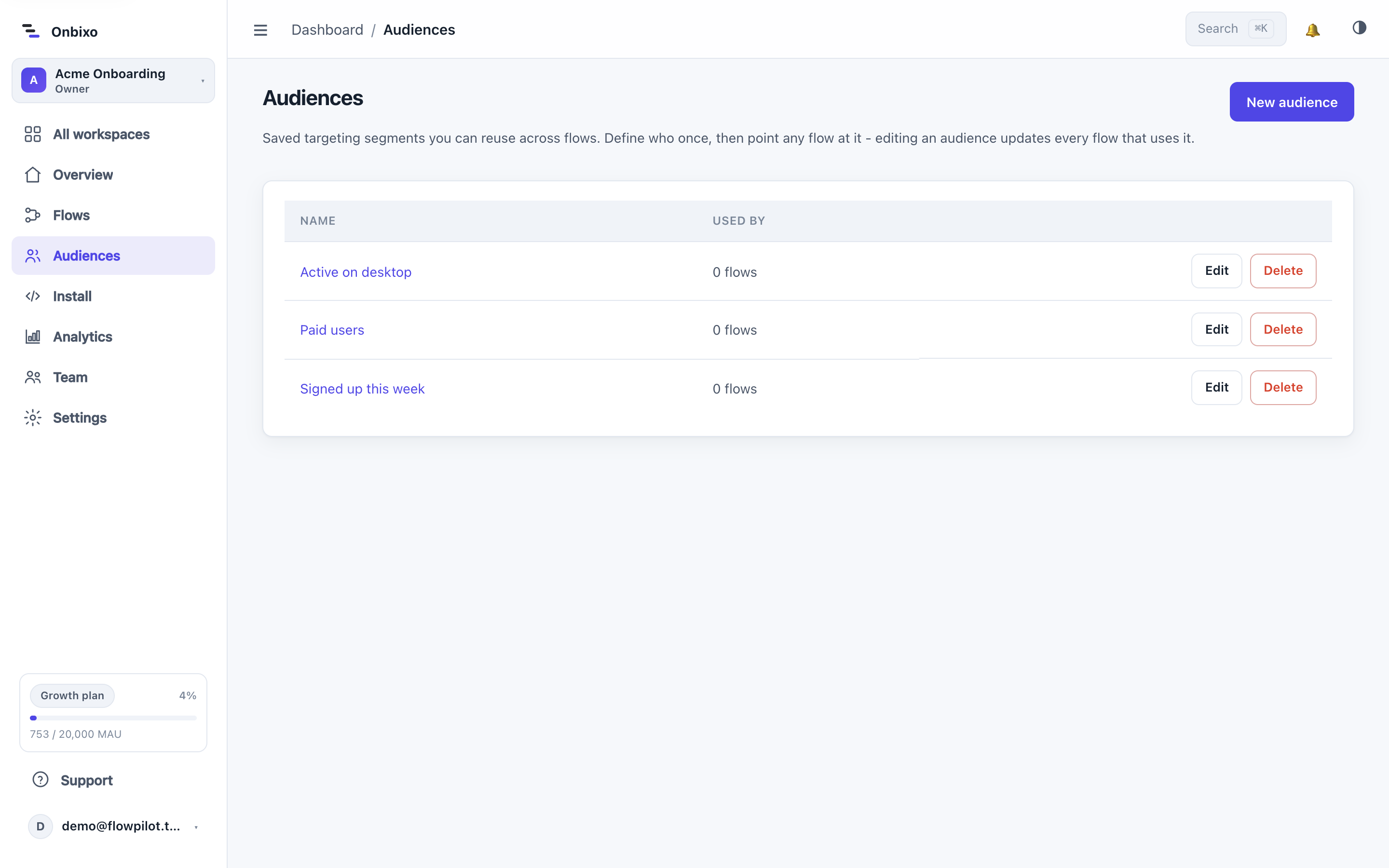
An audience is a targeting rule you define once and reuse across flows. Define "trial admins" or "enterprise accounts" one time, then point any flow at it.
Why audiences
Without audiences you would rebuild the same conditions on every flow. With them, you define the group once, give it a name, and reference it - and because the reference is live, editing the audience updates every flow that uses it.
Managing audiences
- Open Audiences from the dashboard sidebar.
- Create a new audience, give it a name, and build its rule tree - the same conditions, operators, and AND/OR groups you use in Targeting.
- Save it. You will see how many flows use it.
Using an audience in a flow
On a flow's Targeting tab, add an Audience condition and pick your saved audience. You can combine it with extra inline rules - the flow shows to users who match the audience and your extra conditions.
When you publish a flow, the audience's rules are resolved into the published flow, so the runtime stays self-contained. Editing an audience takes effect on each flow the next time it is published.
Audiences are account-scoped and reusable, so they are the right home for the segments you target again and again - new users, paying accounts, a specific plan or region.
Last updated: Aug 5, 2026