Checklists
A checklist gives new users a clear getting-started path in an always-on corner launcher. Its steps tick off as users act, turning a blank first session into an obvious sequence of small wins.
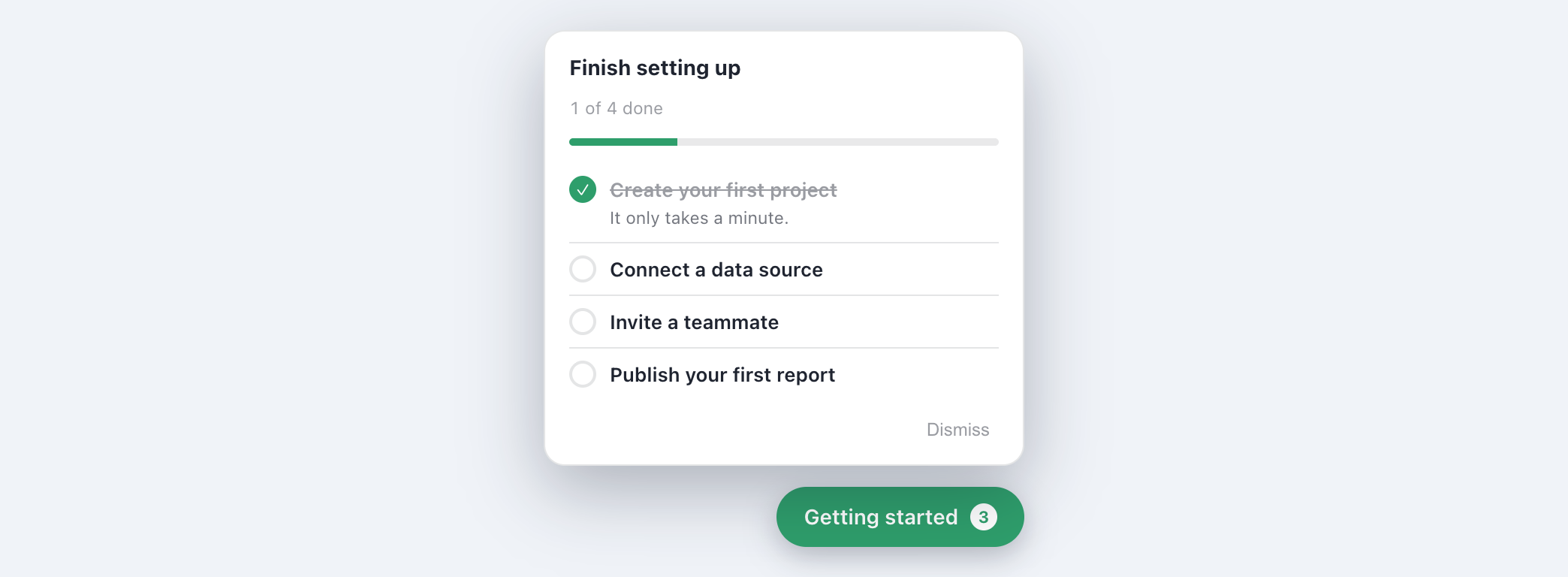
You can author a checklist right in the builder extension, and when an item should tick off after the user clicks something ("done when they click..."), capture that target element by pointing at it on your live app instead of typing a selector. The launcher itself is themed and positioned in the dashboard.
When to use a checklist
Use a checklist to drive activation - the handful of actions a new user must take to reach value. It stays in the corner and remembers progress, so people can come back and finish.
Building a checklist
- Create a flow of type Checklist and open the editor.
- On the Items tab, add tasks. Each task has a title and an optional subtext.
- Set how each task completes (see below), and give the panel a title.
- Style the launcher on the Appearance tab - layout, colors, position, and more.
How a task completes
| Done when | Behavior |
|---|---|
| User ticks it off | The user checks the item themselves (self-reported). |
| User clicks an element | Auto-completes when the user clicks a target element on your page. |
| Your app (API) | Your code calls onbixo.completeItem(flowId, itemId) when the real action happens (verified, not self-reported). |
Launcher options
- Layout - a standard list, compact list, header banner, progress ring, or task tiles.
- Position - bottom-right or bottom-left.
- Progress on the button - a remaining count, a check when done, or nothing.
- Completion order - any order, or one at a time (each task locked until the one before it is done).
- On first visit - open the list, or show just the collapsed button.
- After completion - keep the launcher visible as a help hub, or hide it.
Progress is remembered per user, so a checklist survives reloads and follows the user across devices when you identify them. Per-item completion also shows up in analytics, so you can see exactly where people stall.
Want a help hub with links and relaunchable tours instead of a task list? See the Resource center.
Last updated: Aug 5, 2026